Your Aurral library, made for iPhone.

Discovery, library management, playlists, Flows, activity, and native playback for the Aurral server you already run.

App Store — Coming soonView on GitHub
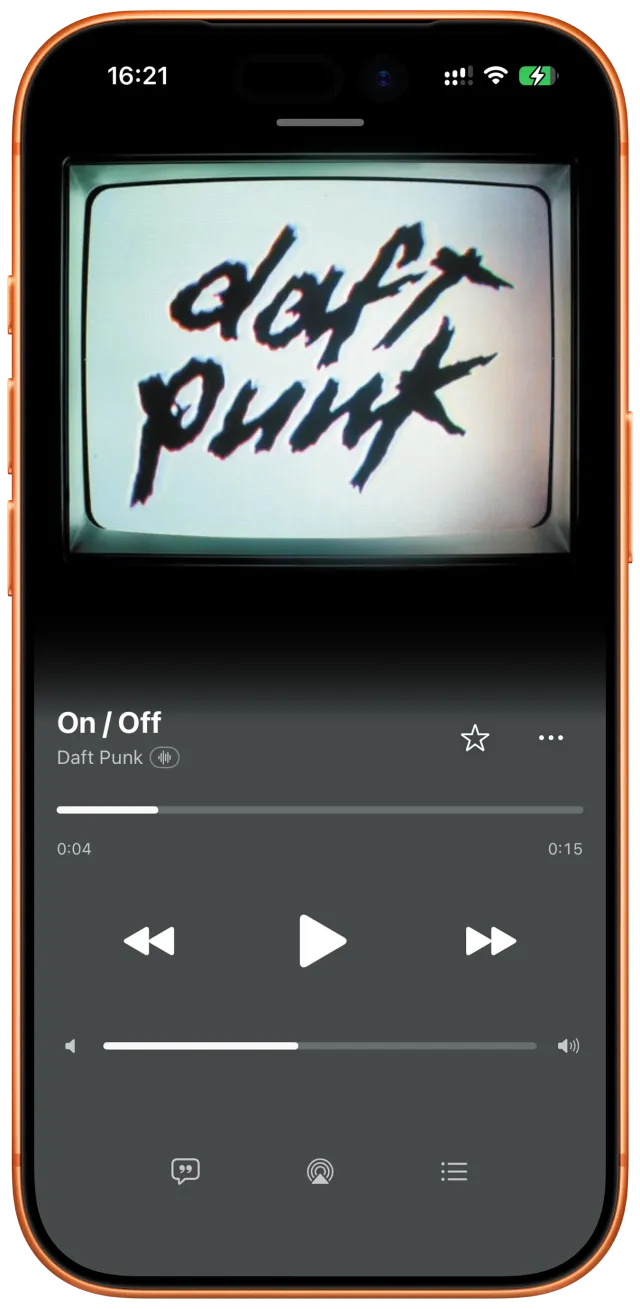
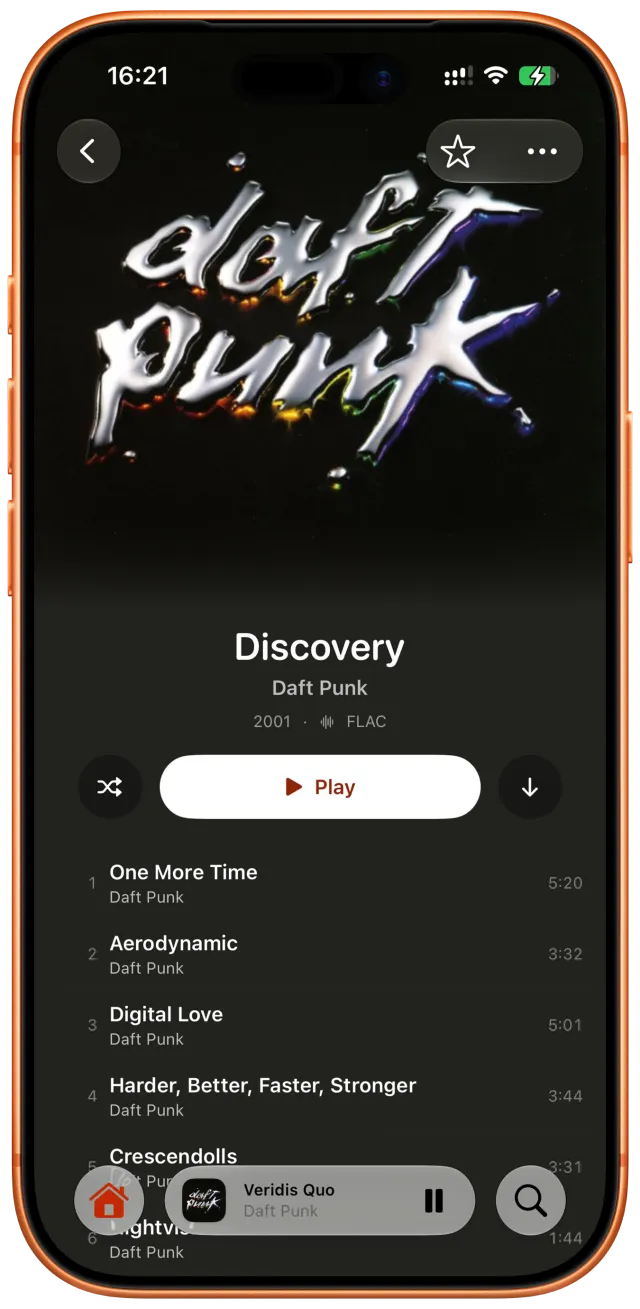
Minidisc full-screen player used as a temporary visual reference
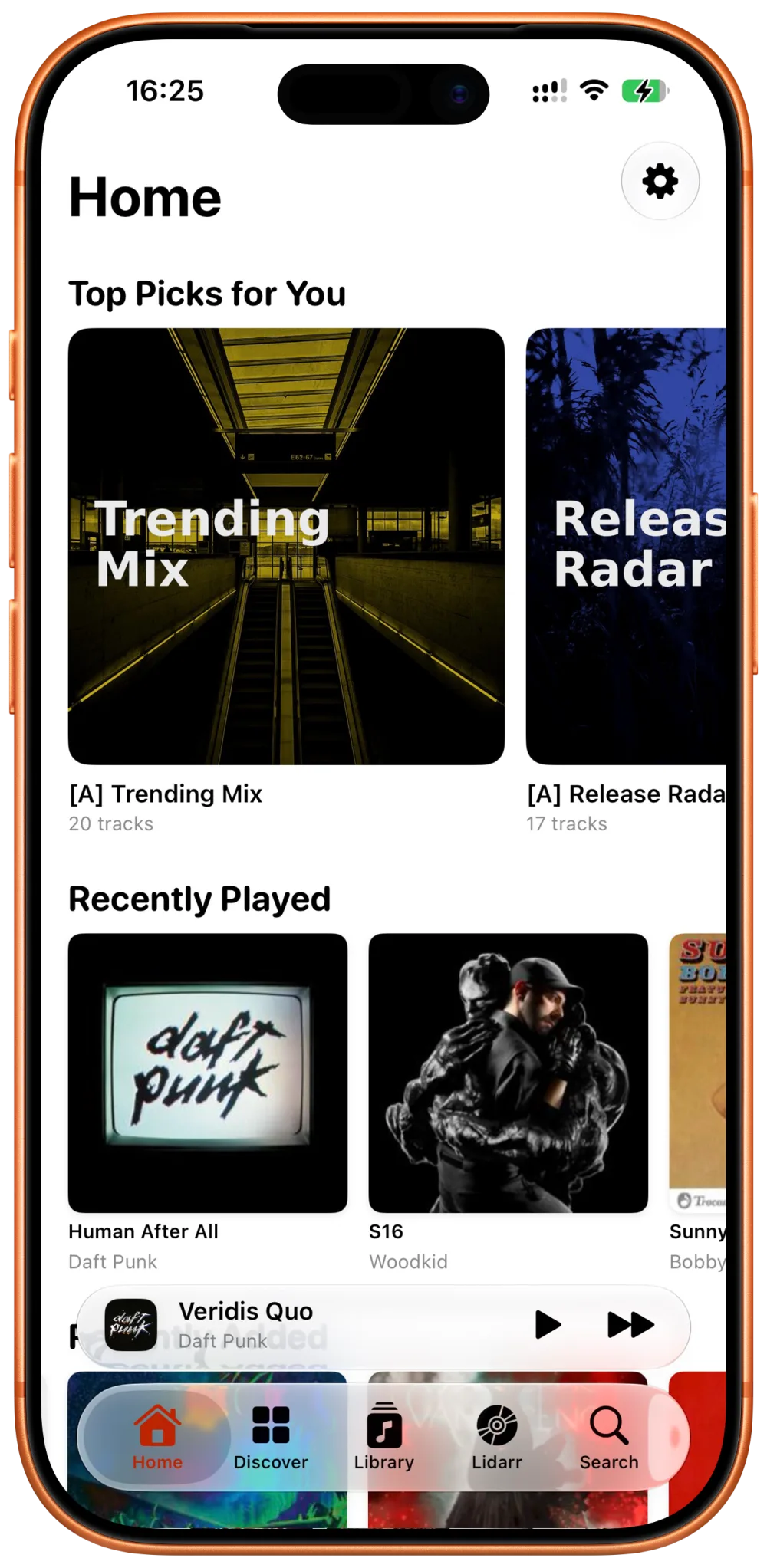
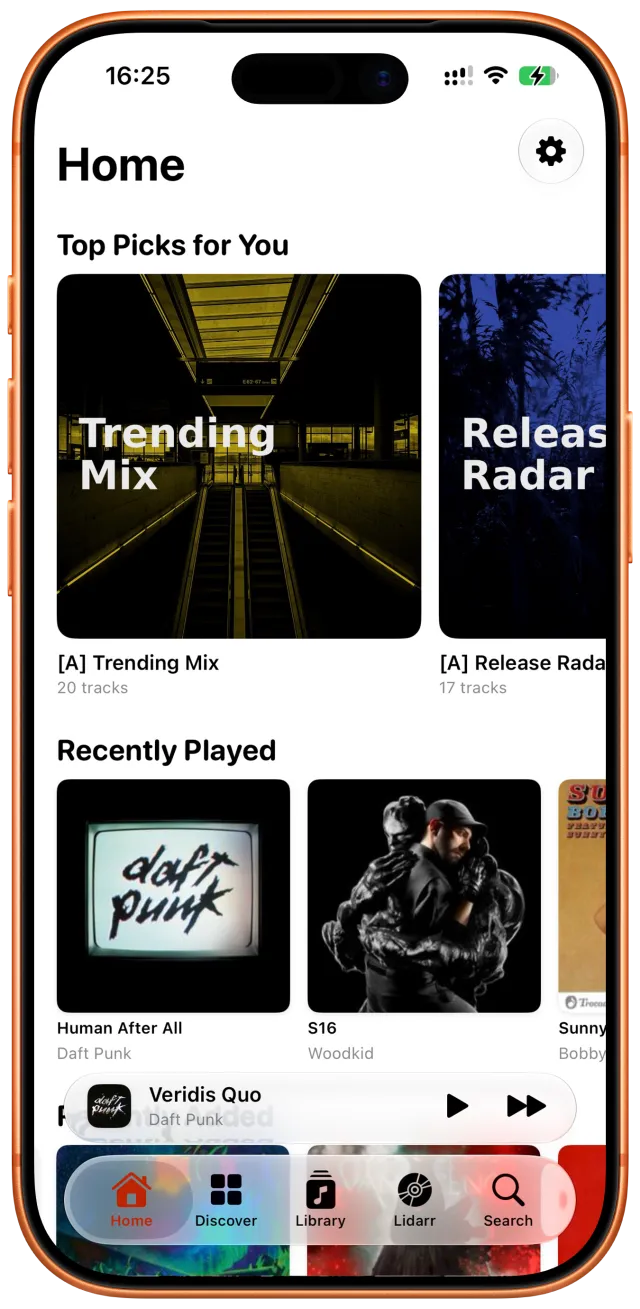
Minidisc Home screen used as a temporary visual reference
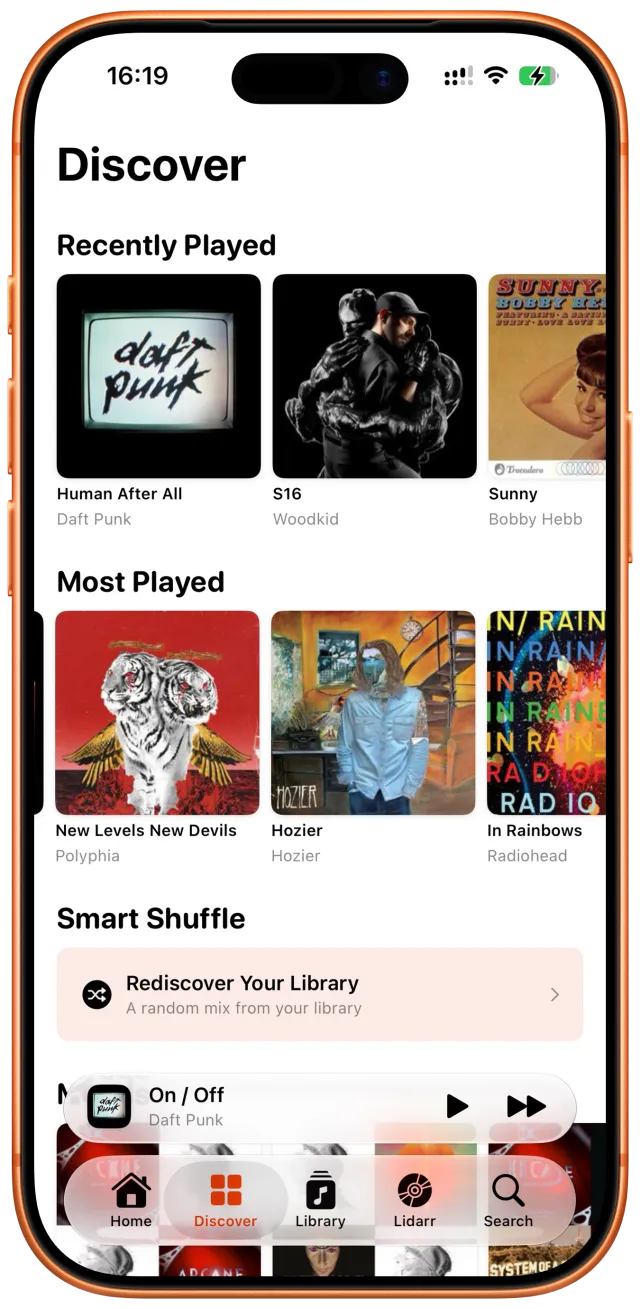
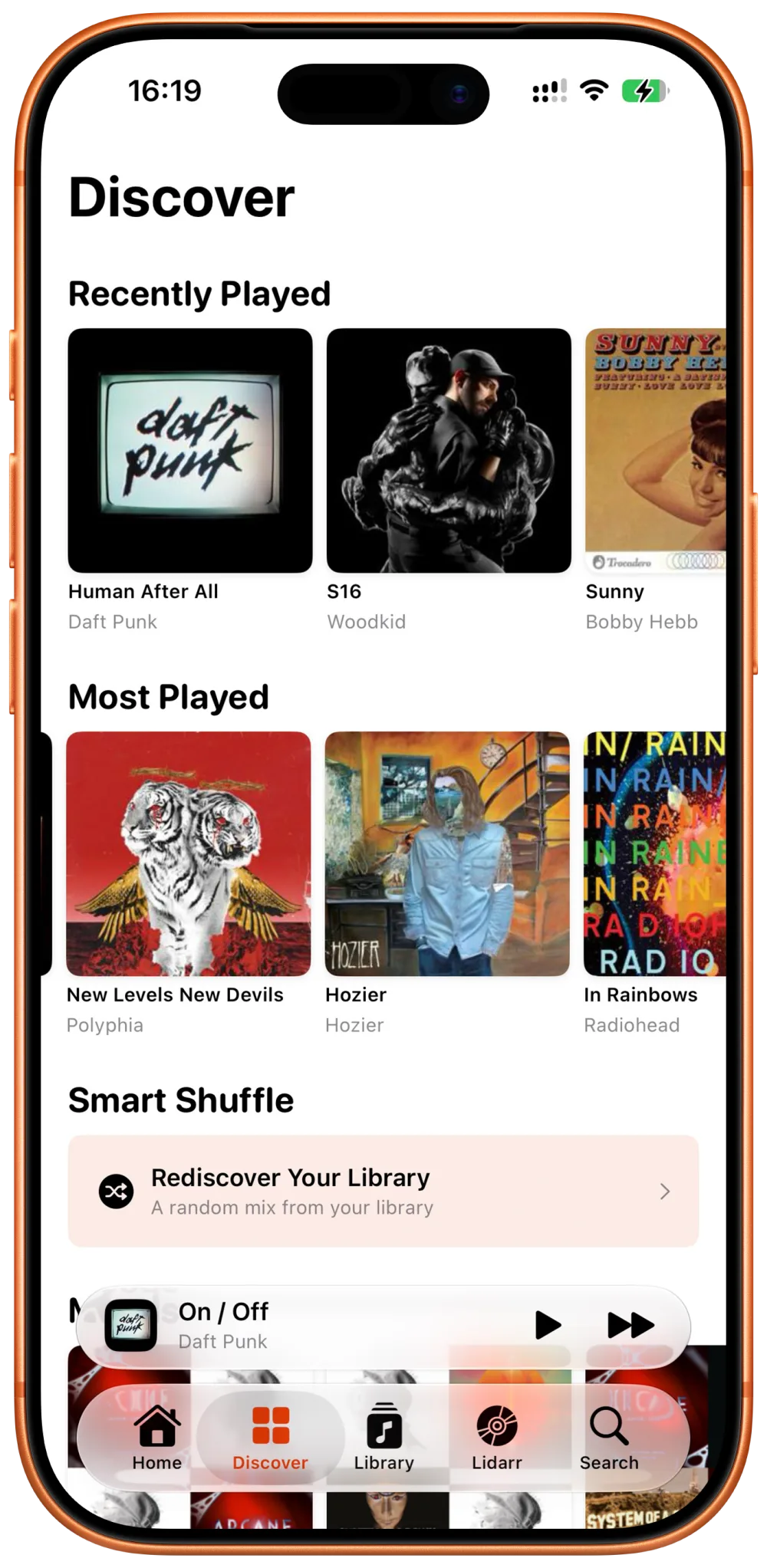
Minidisc Discover screen used as a temporary visual reference
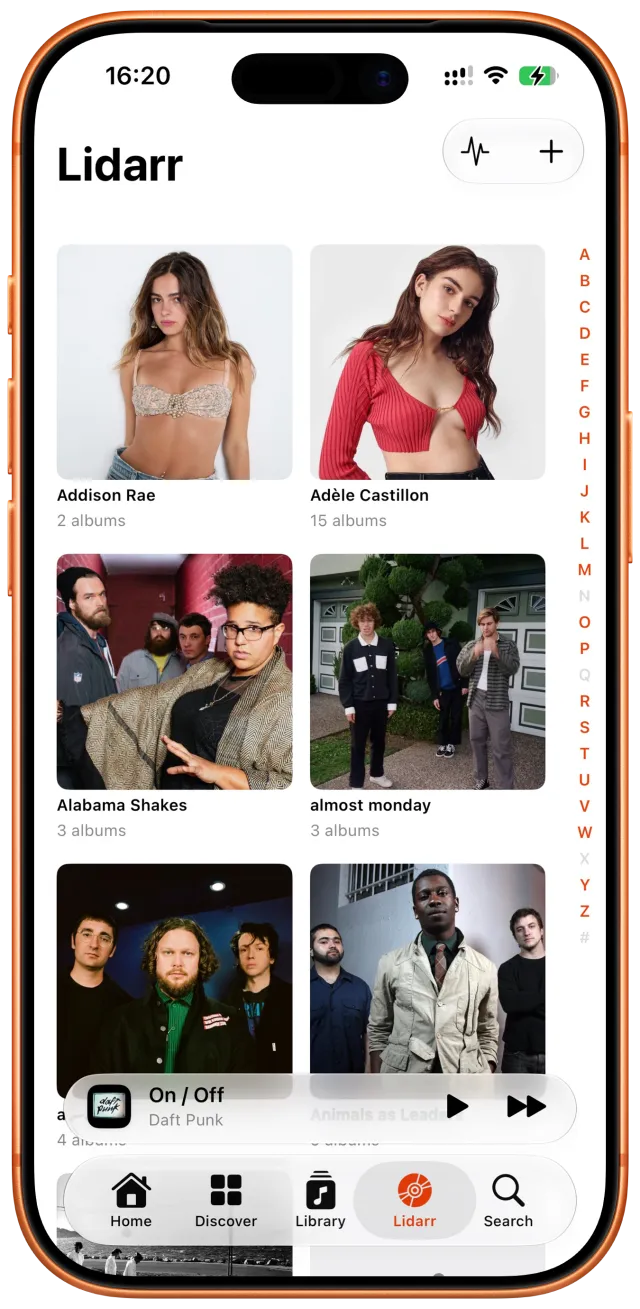
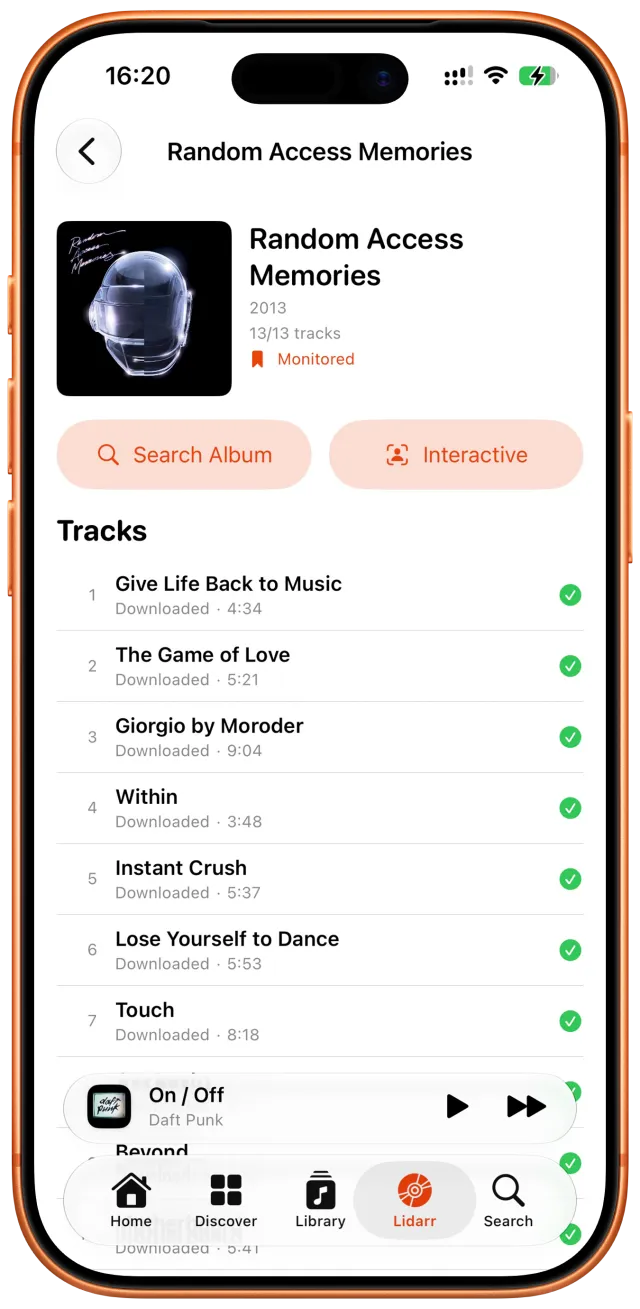
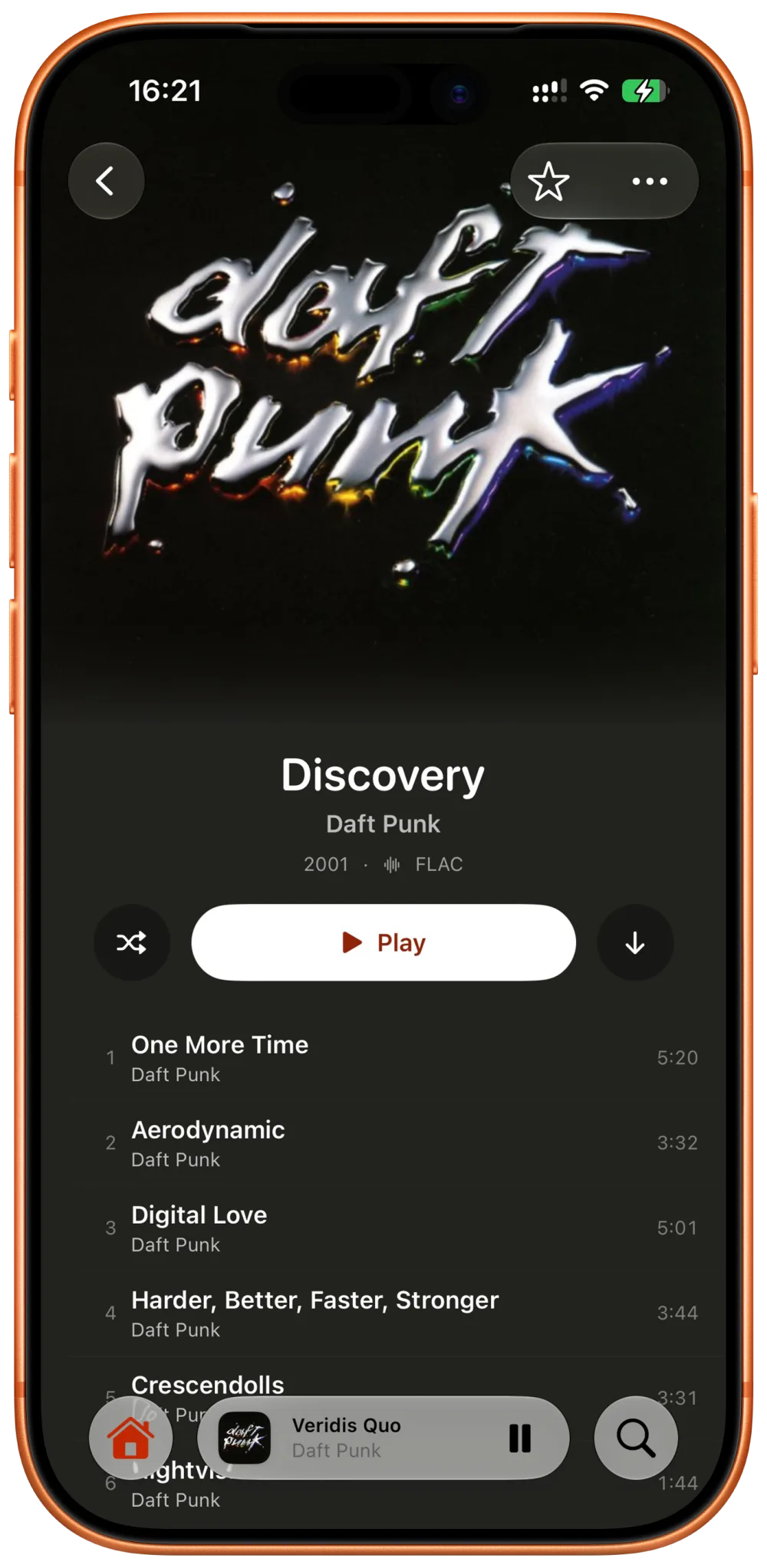
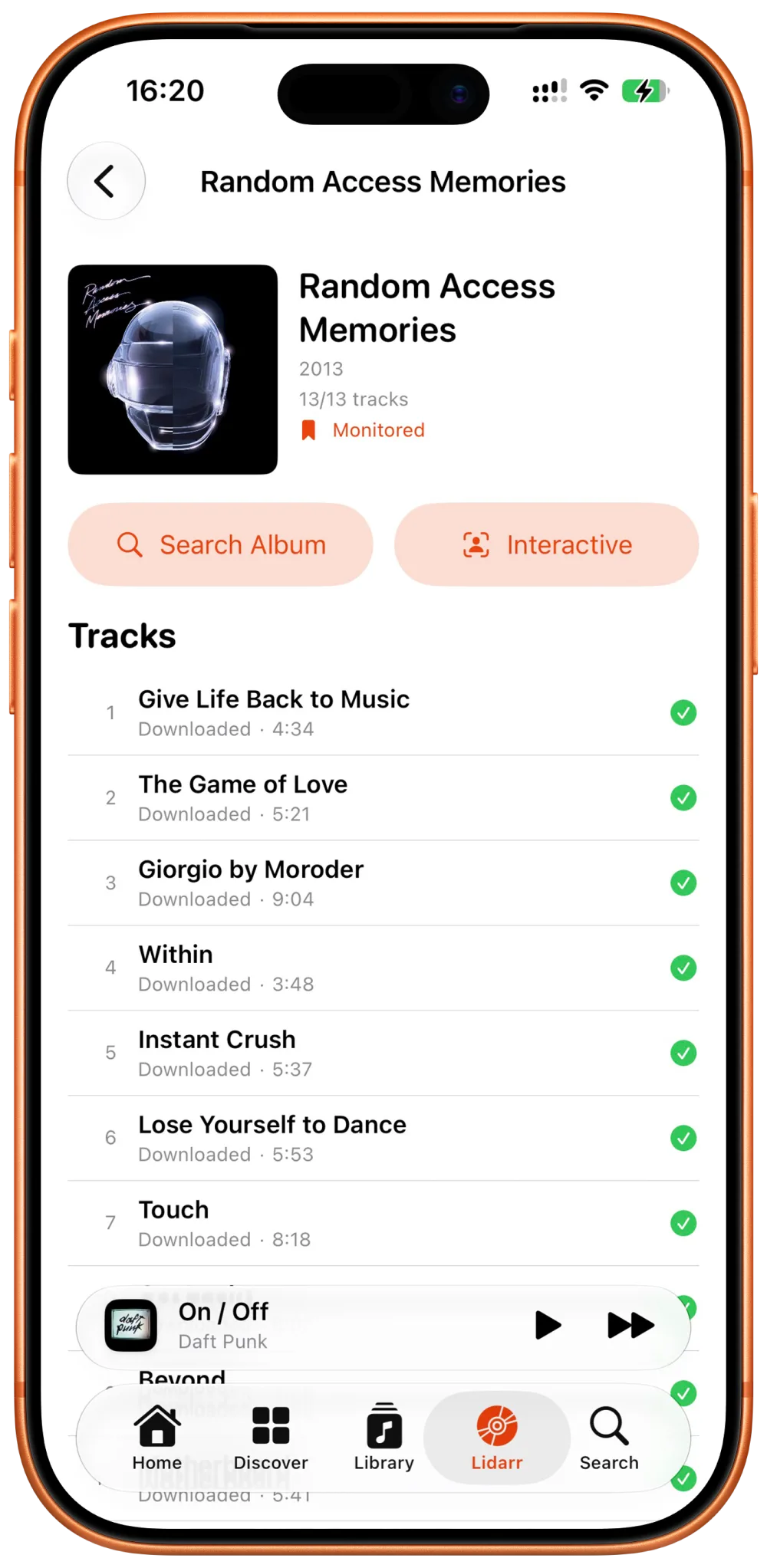
Minidisc Home screen used as a temporary visual referenceMinidisc Discover screen used as a temporary visual referenceMinidisc full-screen player used as a temporary visual referenceMinidisc album screen used as a temporary visual referenceMinidisc Lidarr artist library used as a temporary visual referenceMinidisc track-management screen used as a temporary visual reference

Everything you use Aurral for, in one app.

Flaurral turns your server into a focused iPhone experience without replacing the services or music library behind it.

Find what to listen to next.

Recommendations, related artists, global trends, genres, recent releases, nearby shows, and artist news all come from the Aurral server you already use. Preview a discovery playlist, save it, or turn it into a rotating Flow.

Minidisc Discover screen used as a temporary visual reference

Playback that belongs on iPhone.

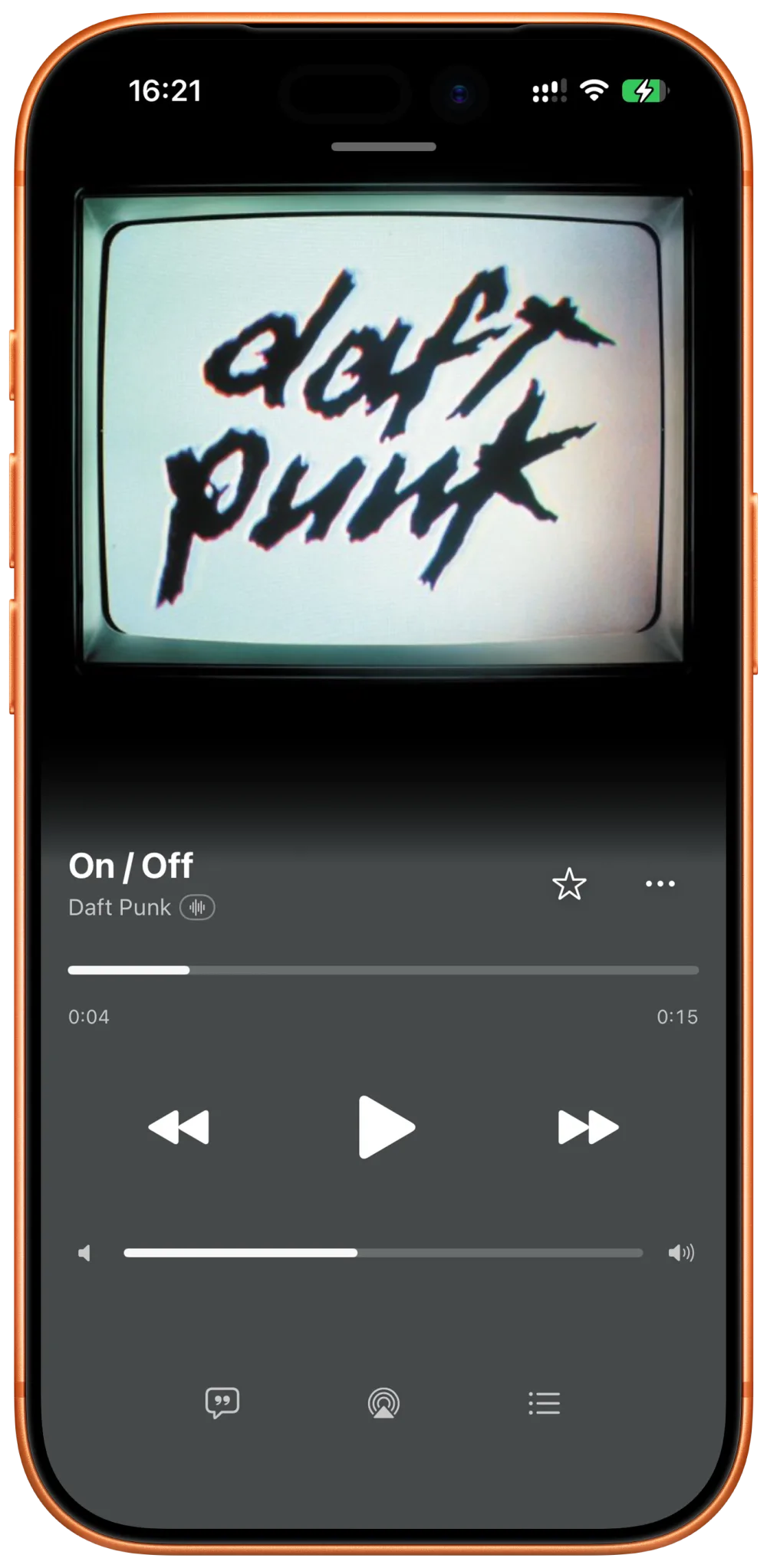
A persistent mini-player opens into a full player with artwork, queue controls, shuffle, and repeat. Audio continues in the background, with Lock Screen, Control Center, and AirPlay support built in.

Minidisc full-screen player used as a temporary visual reference

Your whole library, without the web UI.

Browse artists, albums, tracks, genres, favorites, and recent additions. Native artist and album pages keep artwork, metadata, track lists, related content, and library actions close at hand.

Minidisc album screen used as a temporary visual reference

Playlists that can run themselves.

Create static and shared playlists, schedule Flows, edit their recipes, and follow every execution or download job. Flaurral also exposes playlist and scrobbling imports made available by your Aurral instance.

Minidisc track-management screen used as a temporary visual reference

Connect once. Keep control of the server.

Flaurral uses the services and providers configured in Aurral. It does not create a second music account or move your library somewhere else.

Learn about Aurral

Aurral stays in charge

Your server remains the source of truth for discovery, library state, playlists, and jobs.

Flexible sign-in

Connect with an API key, native OIDC, or supported reverse-proxy browser authentication.

Live when possible

WebSocket events refresh the app in real time; conservative polling takes over when needed.

Your existing providers

Flaurral surfaces the discovery, playlist, download, and import capabilities exposed by Aurral.

The details that make it useful every day.

Music recognition

Identify a song with Apple ShazamKit, then look for the artist in Aurral.

Search

Find artists, albums, tracks, and tags across your connected server.

Activity

Follow requests, scans, playlist runs, and download work from one timeline.

Inbox

Keep recommendations and an optional local history of selected push events.

Session restore

Return to the queue and playback position you left behind.

Storage controls

Manage image, response, and played-music caches from Settings.

Realtime updates

Use Aurral WebSocket updates when available, with HTTP polling as fallback.

Output handling

Respond cleanly to interruptions and changes in headphones or speakers.

Server permissions

Respect the capabilities and permissions reported by your Aurral account.

Your listening stays between your phone and your server.

Flaurral is designed around a direct connection to your own Aurral instance, with credentials stored by iOS.

Read the Privacy Policy
Music traffic
Library, discovery, and playback requests go directly to your Aurral instance.
Credentials
Server-scoped keys and cookies are kept in the iOS Keychain.
Tracking
No advertising SDK and no analytics or tracking declared by the app.
Optional push
The Flaurral+ relay verifies access without receiving your Aurral credentials.

Built in the open.

Flaurral is written in Swift and SwiftUI and released under the Mozilla Public License 2.0. Read the code, build it yourself, report a problem, or contribute a fix.

View on GitHub

Native by design

SwiftUI, system media controls, background audio, Keychain storage, and AirPlay.

Core features stay available

Discovery, library, playlists, Flows, activity, and playback do not require Flaurral+.

Flaurral+ supports development

Optional annual support adds hosted push delivery, accent colors, and alternate app icons. Pricing is shown in the App Store.

What does Flaurral connect to?

Flaurral is a client for an existing Aurral server. Aurral 2.7 is the pinned compatibility target. Flaurral does not bundle or replace Aurral or Lidarr.

Is Flaurral free?

The core discovery, library, playlist, Flow, activity, and playback experience remains available without a subscription. Flaurral+ is optional annual support for hosted push delivery and display customization.

How does sign-in work?

Enter your server URL and, when required, an API key. Flaurral can also use native OIDC exchange or a temporary browser session for supported reverse proxies such as Authentik.

What do I need to run it?

An iPhone running iOS 26 or later and access to an existing Aurral instance. Flaurral is not an independent music server.

Your Aurral server, in your pocket.

Connect Flaurral to the server you already run, then browse, manage, and play your music from iPhone.

App Store — Coming soonView on GitHub

Requires an existing Aurral 2.7 instance and iOS 26 or later.

  1. 01

    Run Aurral

    Start with an existing Aurral instance using the supported 2.7 API.

  2. 02

    Connect securely

    Enter its address and use the authentication method your server exposes.

  3. 03

    Press play

    Browse your library, discover music, and manage Aurral from iPhone.